
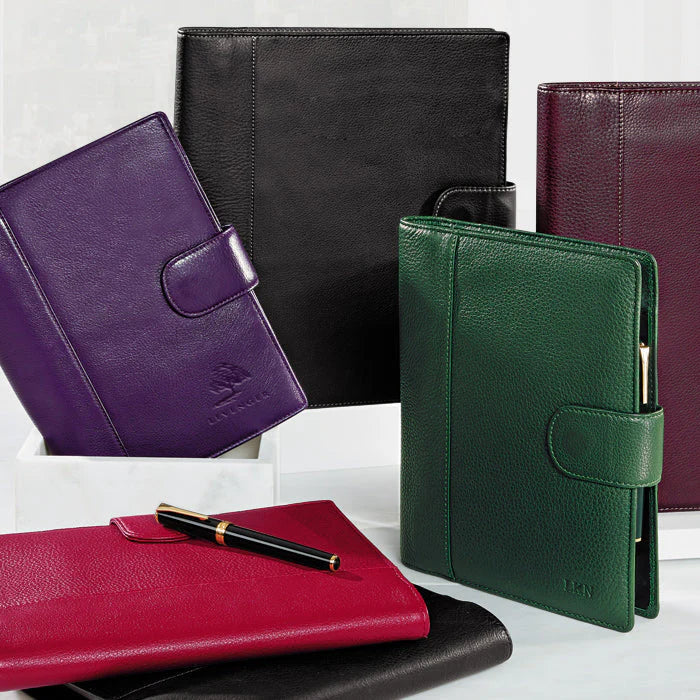
You don’t need to overhaul your life to regain focus—just give your eyes a page to land on and your book a place to rest. This guide shows how to run calm, repeatable study blocks by pairing Levenger’s Library Stand with the right Freeleaf pad for your workload. It’s designed for dorm rooms and shared libraries as much as for a quiet home office.
Why this pairing works
Ergonomics and attention: The Library Stand brings your text to eye level, reducing neck craning and keeping your main source—casebook, anatomy atlas, or score—anchored in view. Your pad stays flat on the desk for note capture. Separating reading (on the stand) from thinking (on paper) simplifies attention and helps you resist window‑switching.
Paper that respects your ideas: Freeleaf pads use smooth, substantial stock that’s friendly to pens and highlighters. Formats like annotation rule, grids, and weekly layouts let you match the page to the task instead of forcing your work into a one‑size pattern.
Set up a 50/10 or 25/5 study block
Use these screen‑light intervals for most subjects. The routine is simple and sustainable on busy campus days.
- Stage the text: Place your book or printed article on the Library Stand, angled for comfortable reading. Mark the target pages.
- Choose your pad: For readings with arguments or cases, pick an annotation layout. For problem sets, use grid. For planning a week of labs and rehearsals, use a weekly scheduler.
- Timer on, phone off: 25–50 minutes of reading and handwriting only. Star anything that needs later lookup instead of reaching for a browser.
- Capture and compress: Summarize each segment in 1–3 lines before turning the page. Park open questions in a margin list for office‑hours or group study.
- Short break: Stand, sip water, then return for another block or file your notes.
If you want a deeper dive into protecting these intervals, see Deep Work Without Distractions: Building a Screen‑Free Block with Circa, Freeleaf, and a Timer.
Timing a block without a phone
Lumos Clock — the block fails the moment you check the time on a screen; a clock in view is the whole fix.
Which Freeleaf pad fits your course load?
Match the page to the kind of thinking you’ll do in a block. Here’s a compact comparison you can scan before your next session.
| Use case | Recommended pad | What it helps you do | Tradeoff to know |
|---|---|---|---|
| Weekly logistics for classes, labs, and practice | Weekly Scheduler Freeleaf Pad (set of 2) | Lay out due dates, labs, rehearsals, and office‑hours across a single week. | Not ideal for detailed notes; pair with an annotation pad for readings. |
| Keep priorities visible at your keyboard in a computer lab | Weekly Keyboard Scheduler Pads (set of 2) | Slim profile tucks in front of a keyboard so tasks stay in sight without new tabs. | Limited writing space; use for headings and checkpoints, not full notes. |
| Case briefs, humanities readings, and lecture capture | Freeleaf Annotation Ruled Pads (set of 5) | Use the margin for cues, questions, and actions—compatible with Cornell‑style notes. | Lines guide prose but aren’t great for diagrams. |
| Problem sets, stats, chemistry mechanisms, studio layouts | Freeleaf Full Page Grid Pads (set of 5) | Keep math neat, draw to scale, and box answers without a ruler. | Grids can feel busy for long text passages. |
| Daily triage and task sorting | Think and Plan Priority Manager Pad (set of 5) | Brain‑dump on the left, then sort work by urgency/importance on the right. | Framework is purpose‑built for planning, not lecture notes. |
| Desk‑wide weekly snapshot for team projects | Freeleaf Oasis Desk Pads (set of 2) | Use a generous surface to storyboard deliverables and assign owners. | Large footprint; best for a fixed desk, not the library table. |
| Mix and try formats before you commit | Freeleaf Signature Selections Sampler (set of 5) | Experiment with ruled, grids, and annotation layouts to find your fit. | Each type has limited sheets—treat as a test kit. |
| Cross‑checking assignments by horizon | Daily • Weekly • Monthly Planner Pad Trio | Shift between near‑term tasks and monthly milestones without changing systems. | Three formats to manage; label clearly to avoid overlap. |
| Freeform weekly planning for atypical schedules | Freeleaf Weekly Freeform Planner Pads (set of 2) | Build custom blocks for clinicals, studio time, or travel days. | Blanker canvas requires a bit more intention each week. |
Layout recipes for common majors
Pre‑law and humanities: brief, question, conclude
- Brief the text on the stand: As you read, title each section. On an annotation pad, use the margin for holdings, key claims, and citations to revisit.
- Compress to cues: End the block by rewriting the main point of each section in a single cue line you can study from later.
STEM and architecture: sketch, solve, verify
- Diagram first: On a grid pad, sketch the system or free‑body diagram while the reference sits on the stand.
- Show your work: Number each step clearly; box final results so grading is simpler.
Performance and studio arts: plan, practice, reflect
- Score or reference on the stand with a weekly pad nearby to block rehearsal segments.
- Note adjustments on a freeform weekly or desk pad so improvements don’t vanish between sessions.
To extend these routines into your mornings, see Analog Mornings: A 20‑Minute Paper‑First Routine to Set Your Day’s Focus. If you’re building sustainable study habits, you might also like Analog Habit Tracking: Dot‑Grid, Index Cards, and Simple Weekly Reviews.
Small‑space setup: dorms, carrels, and kitchen tables
- One‑tray rule: Keep only today’s materials on the surface. Store other books on the Library Stand’s shelves so they’re reachable but not in your line of sight.
- Pad rotation: Park your weekly pad at the back edge of the desk as a compass; pull a grid or annotation pad forward for active work.
- Portable rigidity: If you wander between carrels, a leather pad backer keeps pages sturdy; the Chief Engineer Pad Backer Bundle adds a grid pad and a rollerball for a neat, giftable kit.
- Library Stand — Raises the text to eye height in a carrel, which is what makes a two-hour block survivable.
- Book Bungee — Holds a textbook open at the page between blocks.
Budget, value, and care
- Value without waste: Freeleaf sets come in practical multi‑packs, and Levenger frequently runs promotions—signing up for the loyalty program can make premium paper a cost‑effective staple over the term.
- Mind your margins: Tear along the perforation to file cleanly. Use binder clips per course to avoid mixing topics.
- Ink‑friendly habits: Allow gel or fountain ink a moment to dry before stacking pages; the heavier stock resists bleed‑through, so you can write confidently on both sides.
Frequently Asked Questions
How do I position the Library Stand for comfort during long readings?
Set the stand so the top third of the page is near eye level, with a gentle tilt that lets you read without bending your neck. Keep your note pad flat and within forearm reach so your wrist stays neutral while writing.
Which pad should I choose for mixed days—lab in the morning, seminar in the afternoon?
Start with a weekly view to anchor the day (Weekly Scheduler Freeleaf Pad), then switch pads by task: grids for the lab (Full Page Grid Pads) and annotation rule for seminar discussion points (Annotation Ruled Pads).
I’m short on desk space. What’s the most compact planning option?
Use the margin‑size layout that nestles in front of your keyboard: Weekly Keyboard Scheduler Pads. Keep your course text on the Library Stand and pull a smaller pad forward only when you’re actively writing.
I’m new to paper planning—how can I try formats without over‑committing?
Pick a sampler to experiment for a week: the Freeleaf Signature Selections Sampler includes multiple formats so you can discover what fits your learning style. If your schedule varies a lot, add the Daily • Weekly • Monthly Planner Pad Trio for different planning horizons.
Next steps
Pick one block length to test this week and one pad that fits the work on your stand. If you want a portable routine you can run anywhere on campus, explore Deep Work Without Distractions now, then build a morning warm‑up with Analog Mornings and keep momentum with Analog Habit Tracking. Thoughtful tools, used consistently, turn busy weeks into steady progress.


